
How to make a zine from a PDF
The two easiest zine formats, how to plan the pages, and how to print, fold, cut and staple a zine from any PDF.
25 November 2026
To make a zine from a PDF, put your pages in one PDF in reading order, lay them out with a booklet or mini-zine layout so they land in the right places on the paper, then print on both sides, fold and staple. The layout step matters because zine pages share sheets: page 8 often sits right next to page 1, and the order only works once the paper is folded.
Which zine format should I choose?
- The mini zine from one sheet: 8 small pages, each a quarter of a Letter or A4 sheet. It's quick to make, cheap to copy and easy to hand out, which is why it's the classic first zine.
- The stapled half-size zine: sheets folded in half and stapled through the fold, so each page is half the paper size. Choose it when you have more to say: 12, 16, 20 pages or more.
How to plan the pages
- Count your pages. A mini zine has exactly 8, covers included. A stapled zine needs a multiple of four; blank pages fill any gap at the end.
- Make every page the same shape. Design in portrait, at the final size or any size with the same proportions, and the layout scales the pages to fit.
- Leave a margin. Home printers can't print right to the edge, and small pages lose proportionally more, so keep words and drawings a little way in from every edge and from the fold.
- Scan hand-drawn pages in order. The Notes or Files app on an iPhone can scan paper straight into a PDF; scan the pages in the order they should be read.
- Export designs as one PDF. From Canva, Procreate, a word processor or a design app, export all the pages into a single PDF, one zine page per PDF page.
How to make a mini zine from one sheet
BookletMaker arranges the eight pages for you and shows both sides of the sheet before you print. In the free web tool, choose the Mini-booklet (quarter fold) layout. In the app on Mac, iPhone or iPad, pick Mini Booklet under Presets, or Mini Zine from One Sheet in the Zines & Cards group, which also draws a guide where to cut.
- Open your 8-page PDF in the web tool or the app.
- Choose the mini zine layout and check the preview: four pages on each side of the sheet.
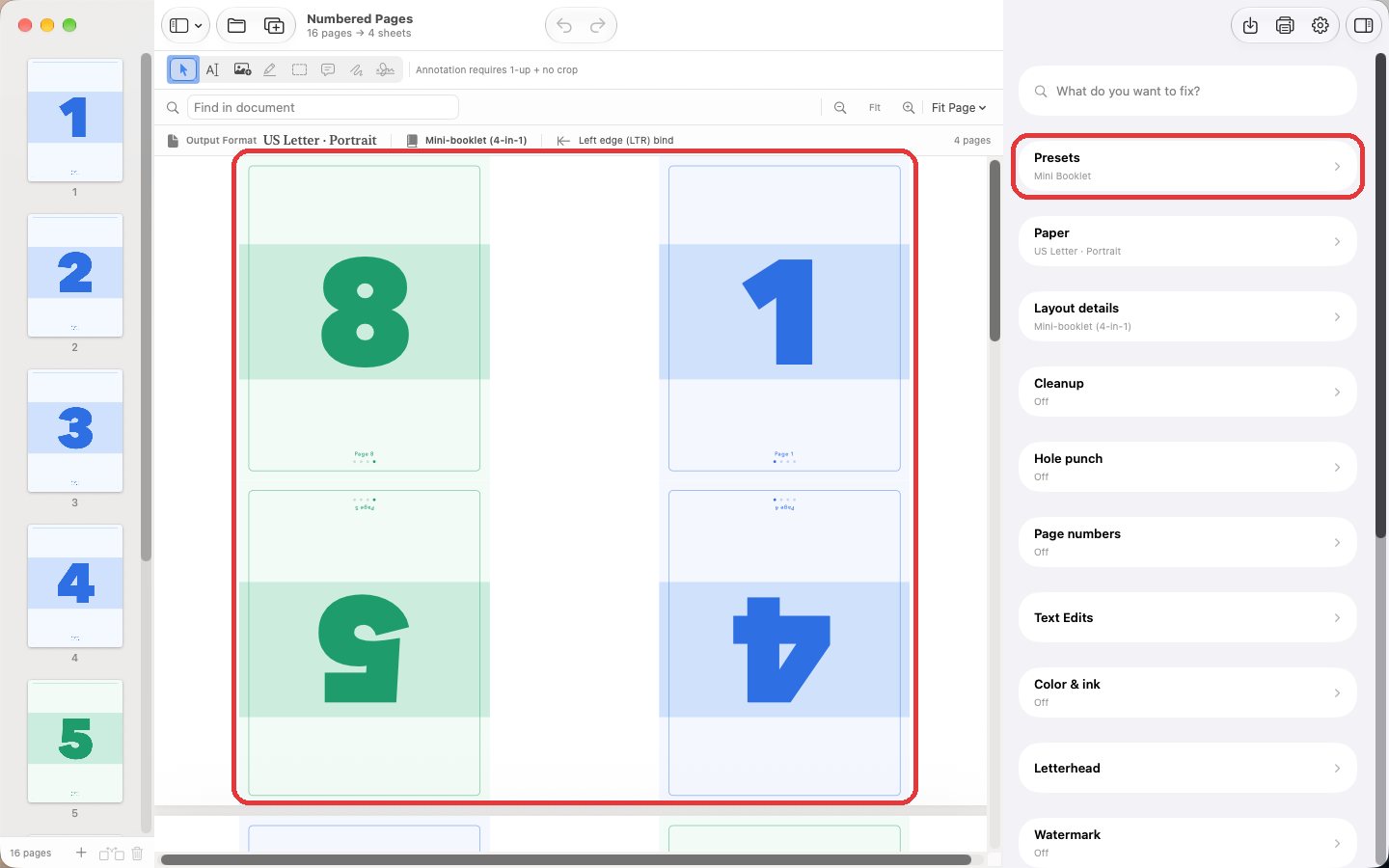
Presets: Mini Booklet. One side of the sheet holds four pages; two are upside down until you fold. - Print on both sides of one sheet. BookletMaker shows which edge the paper should turn on.
- Fold the sheet in half, then in half again, following the fold guides, so the pages line up in reading order.
- Cut open the folded edge that the cut guide marks, so the pages can turn, then staple or stitch through the spine.
How to make a stapled zine
- Open the PDF and choose the booklet layout. In the app, pick Standard Booklet under Presets; the Booklets group has set sizes such as A5 Booklet on A4 and Half Letter Booklet on Letter.
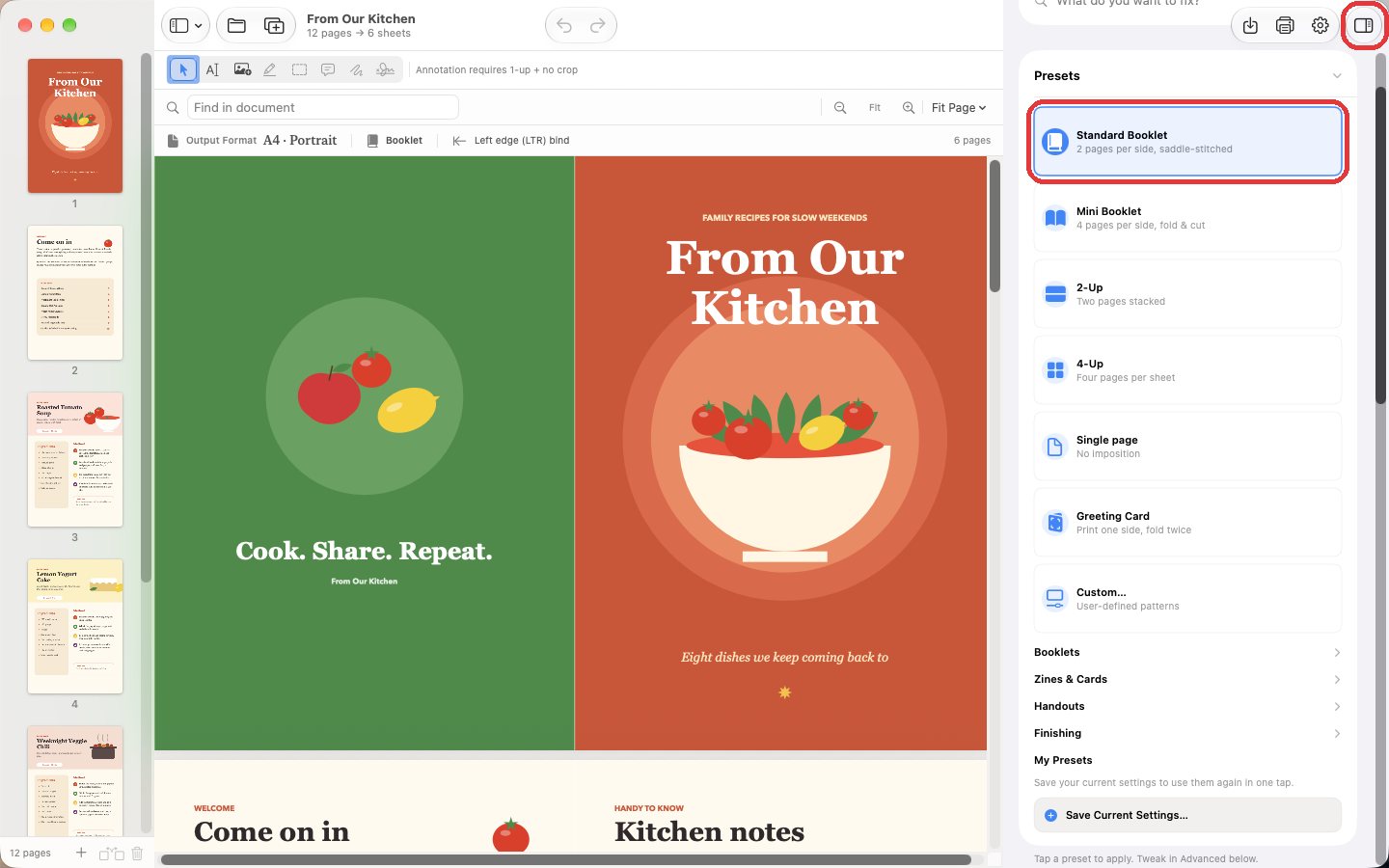
Click Inspector (top right), then Standard Booklet under Presets. - Step through the sheet preview to check the pages pair up the way you expect.
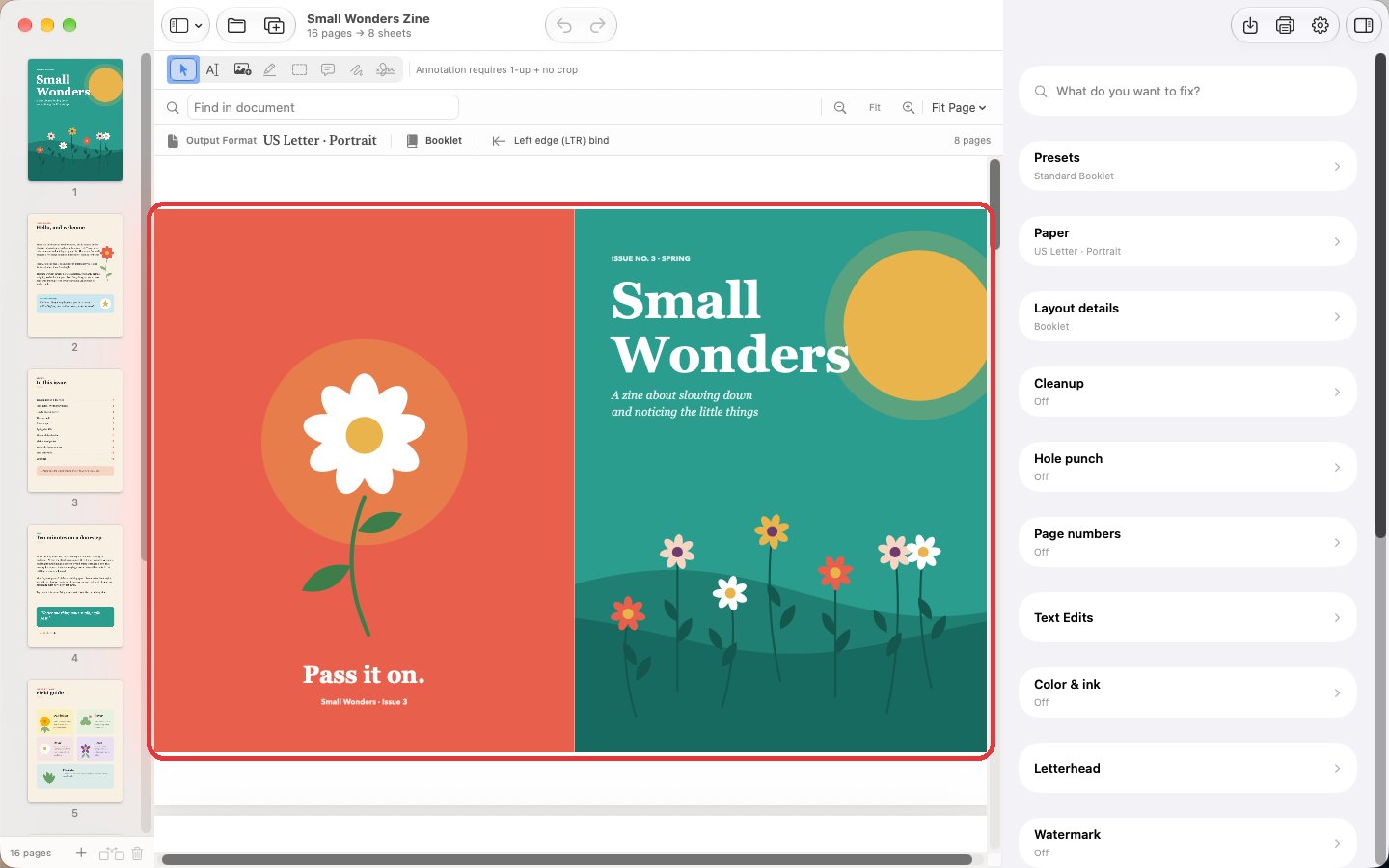
In booklet order, the first sheet carries the back cover beside the front cover. - Print on both sides with short-edge binding, at 100% scale.
- Fold each sheet in half, nest the sheets in order and staple through the fold.
Thicker zines push their middle pages out past the edge as they fold. A paper trimmer squares the edge again; the PDF to booklet guide has more on stapling and trimming.
Which BookletMaker features are free for zines?
The web tool is free for booklets and mini zines of up to 20 pages, which covers most zines. On Mac, iPhone and iPad, BookletMaker is on the App Store, where the booklet and mini-booklet layouts are part of BookletMaker Pro. The apps also have zine designs in their template gallery, if you'd rather start from a ready-made layout than your own PDF.
Printing many copies
Print one copy and read it through before printing the rest. For a bigger run, save the laid-out PDF and take it to a copy shop: ask for two-sided copies at 100% scale, and say the pages are already in zine order, so their own booklet setting stays off. Black and white on plain paper is the classic zine look, and it's the cheapest to copy.
No two-sided printer? Print the fronts, turn the paper over and print the backs. In the apps, Manual duplex (non-duplex printers) walks you through it and says which way to put the paper back in.
Quick answers
How many pages should a zine have?
A one-sheet mini zine has exactly 8 pages, covers included. A stapled zine can have any multiple of four pages: 8, 12, 16 and so on. Blank pages fill any gap.
What paper is best for printing a zine?
Ordinary printer paper works well. Thin paper lets dark pages and photos show through, so for heavy ink use a slightly thicker paper, and a thicker cover sheet if you want it to last.
Can I make a zine without a two-sided printer?
Yes. Print the fronts, turn the paper over, feed it back in and print the backs. Try one sheet first, because printers differ in which way the paper has to go back in.
Can I use a Canva or Procreate design?
Yes. Export the pages as a single PDF in reading order, one page per zine page, and lay that PDF out as a zine.